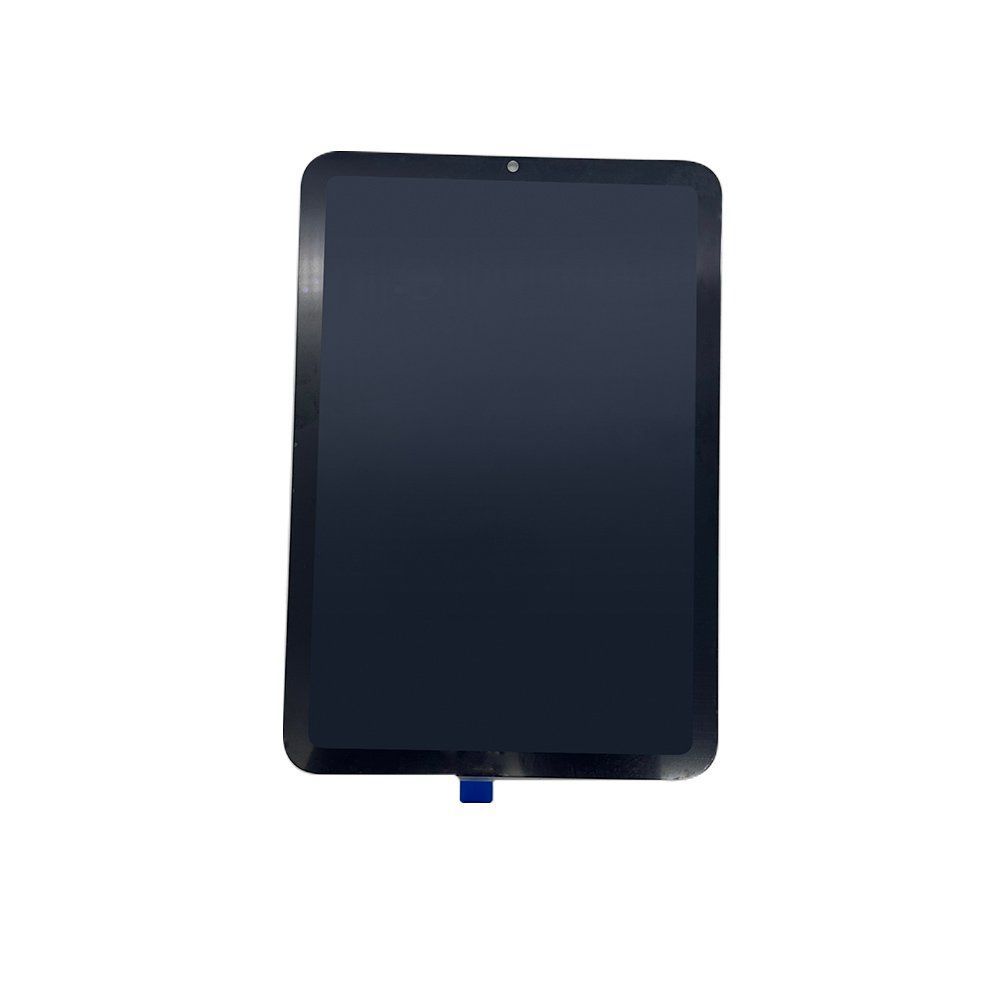
Dieser Hub hilft Einkäufern von Ersatzteilen dabei, iPad-LCD-Bildschirmeinheiten mit weniger Qualitätsreklamationen zu beschaffen. Er konzentriert sich auf Display-Qualitätsstufen, Touch-Reaktion, Pixelfehlerkontrolle, Verpackung und Lieferantenverifizierung.
Was man beim Kauf von iPad-LCD-Bildschirmen vergleichen sollte
Bei iPad-LCD-Einheiten sind die visuelle Qualität und die Zuverlässigkeit bei der Installation wichtiger als der reine Preis. Einkäufer sollten Panel-Qualität, Digitizer-Empfindlichkeit, Rahmenausrichtung, Klebekraft, True-Tone-Unterstützung (falls zutreffend) und den Verpackungsschutz für den internationalen Versand vergleichen.
- Bestätigen Sie das genaue iPad-Modell und die Modellnummern vor der Bestellung.
- Fragen Sie nach, ob der Bildschirm auf Pixelfehler, Touch-Reaktion und Helligkeit getestet wurde.
- Prüfen Sie, ob Kamerahalterungen, Klebestreifen oder Rahmenoptionen enthalten sind.
- Fordern Sie Verpackungsfotos für Muster- und Großhandelskartons an.
Empfohlene Struktur für iPad-LCD-Cluster
Das Thema iPad-LCD sollte eine Kategorie-Seite, einen Beschaffungs-Hub, eine QC-Checkliste und Produktseiten für tatsächlich kompatible Einheiten umfassen. Vermeiden Sie die Erstellung von Seiten für Modelle, die das Produkt nicht wirklich unterstützt.
| Seite | Zweck |
|---|---|
| LCD-Bildschirm-Kategorie | Produktentdeckung |
| Dieser Hub | Käuferausbildung und thematische Autorität |
| QC-Bereich | Beantwortet Fragen zu Tests und Qualitätsstufen |
| iPad mini 6 LCD-Produktseite | Kommerzielle Konversion |
Checkliste für die Musterfreigabe
Prüfen Sie vor dem Großeinkauf die Musterdisplays unter weißem, schwarzem, rotem, grünem und blauem Bildschirm. Überprüfen Sie den Touch in allen Ecken, den Zustand der Anschlüsse, die Qualität des Flexkabels, die Helligkeitskonsistenz, die Halterungsposition und die Druckfestigkeit der Verpackung.
MOQ und benötigte Käuferinformationen für ein Angebot
Senden Sie die genaue Modellnummer, Display-Version, Menge, Qualitätsanforderung, Verpackungsanforderung und das Zielland. Dies beschleunigt das Angebot und vermeidet das häufige Problem der Verwechslung ähnlicher iPad-Generationen.
Empfohlene nächste Schritte
- LCD-Bildschirmprodukte durchsuchen
- iPad mini 6 LCD-Bildschirmeinheit ansehen
- QC-Prozess der Fabrik überprüfen
- Modellliste für ein Werksangebot senden
Prüfplan für Großbestellungen
Vor der Bestellung sollte die Produktbeschreibung in ein schriftliches Freigabeblatt für Muster überführt werden. Darin stehen Modell oder Version, Anwendung, Prüfgerät, Methode, Grenzwerte, Mustermenge und verantwortliche Person. Eine einzelne Vorführprobe reicht nicht zur Bewertung einer Serie.
Muster- und Versandprüfung
- Mehrere Muster aus der vorgesehenen Serienkonfiguration und alle wichtigen Varianten prüfen.
- Prüfbedingungen und Ergebnisse mit Fotos, Videos oder Messwerten dokumentieren.
- Ein freigegebenes Referenzmuster für den Vergleich mit der Versandcharge aufbewahren.
RFQ und Bestellung
Spezifikation, Verpackung, Kennzeichnung, Dokumente, Stichprobe und Umgang mit Abweichungen gehören in RFQ und Bestellung. Der Prüfbericht nennt Charge, Prüfmenge und jedes Einzelergebnis. Bei Nachbestellungen ermöglichen dieselben Prüfpunkte einen belastbaren Chargenvergleich.